Frequently Asked Question

About Testing

Interoperability Testing Platform (ITP) Access

  • The Content Testing Tools are free for use by eHealth Exchange Participants and their vendors.
  • If your organization does not meet either of the two criteria above, a yearly subscription can be obtained. Please send an email to testing@ehealthexchange.org for more information.

If you are a member, participant or subscriber, you need to request a user account by sending the following information to testing@ehealthexchange.org.

  • First name
  • Last name
  • Email address
  • Phone
  • Title

To have users removed, please send the user’s name and email address with the request to testing@ehealthexchange.org.

Additional information can be found in the Content Testing Tooling User Guide found here as slides #10 and #11.

Process

  • Send the permanent link provided by the tooling to the email testing@ehealthexchange.org.
  • Information regarding what is meant by the permanent link can be found as slide #14 within the Content Testing Tooling User Guide found here
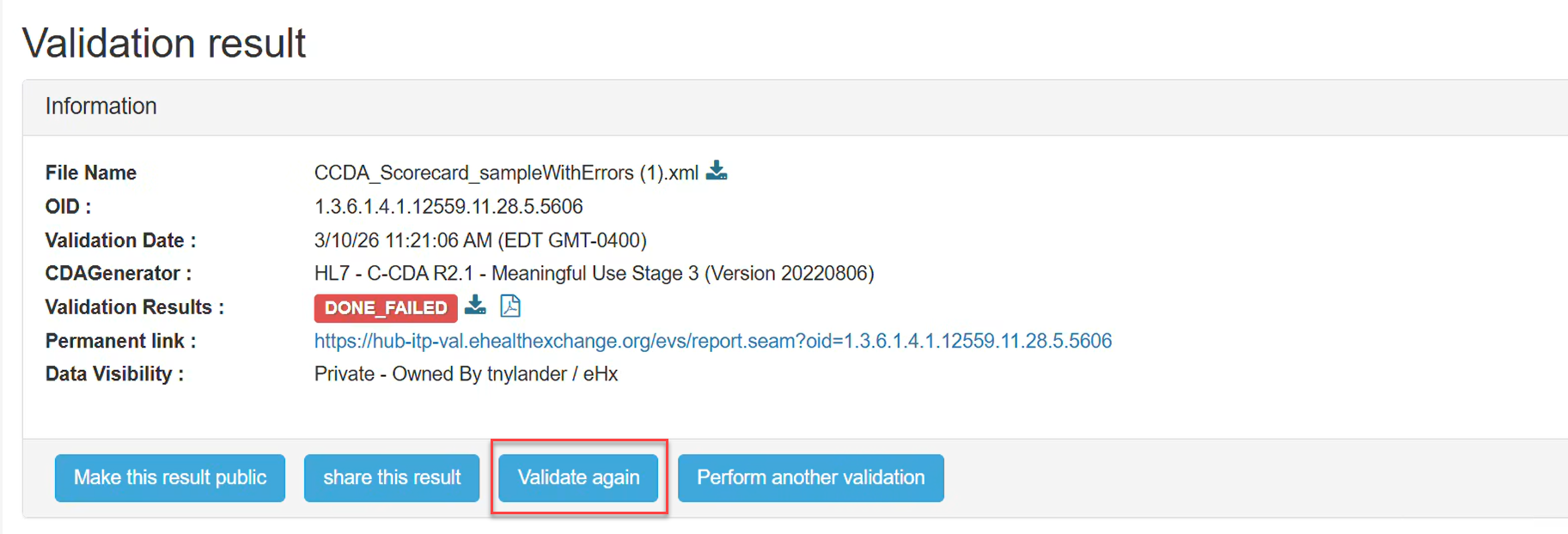
  • Please navigate to the permanent link previously submitted and select the “Validate again” button as shown below:
 

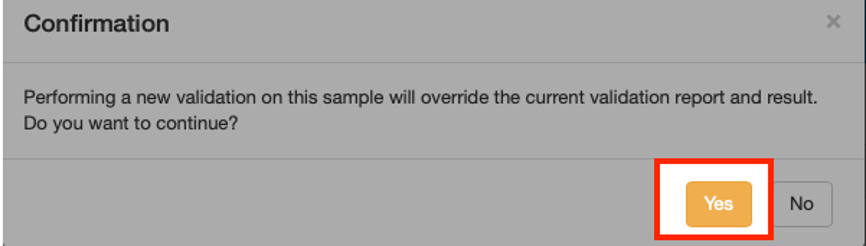
  • You will be prompted to confirm that you wish to overwrite your previous report while maintaining the same permanent link for ease of tracking. Click the “Yes” button to continue as shown below:
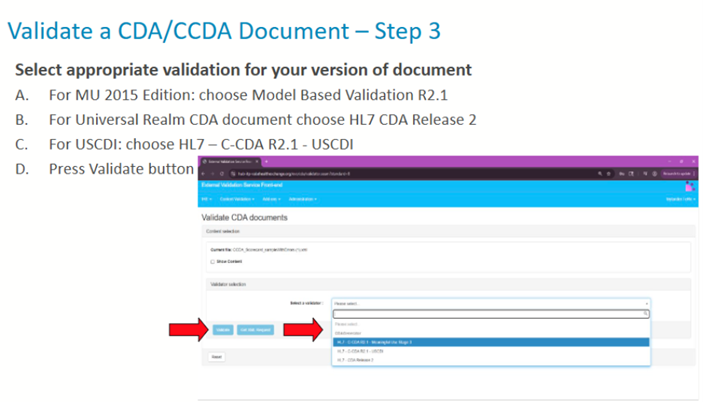
  • You will be required to select the appropriate validator for your version of document again and press the validate button as shown in the screenshots below:
  • This will overwrite your previous report while maintaining the same permanent link for ease of tracking purposes. It is recommended that you revalidate all reports previously submitted to ensure you have the correct errors identified for remediation.

You do not need to resubmit results unless they now pass according to the tooling revalidation. If the testing report now passes, please resend the permanent link information to testing@ehealthexchange.org so we can update our records showing your passing result.  We do not watch the tooling results as they are updated for pass/fail status so frequently.

Each organization that has not successfully passed will have their organization updated on this page https://ehealthexchange.org/participants/ under notes.

Organizations who onboard to the eHealth Exchange network have 18 months from their initial testing report to remediate any defects with their vendor or staff.

The remediation plan should include the reason your organization cannot meet the requirement and a timeline for when the testing will be completed.

  • No, please use ONLY test data in the document samples tested as the tooling is not hosted in a HIPAA compliant environment.
  • The eHealth Exchange is working to make PHI testing available for participants in the future.
  • Email one question/issue/defect per email to testing@ehealthexchange.org
  • Provide as much information as possible including:
    • Screenshots
    • Testing Permanent Link with Issue
    • Reference details for HL7 specification with detailed questions/issues
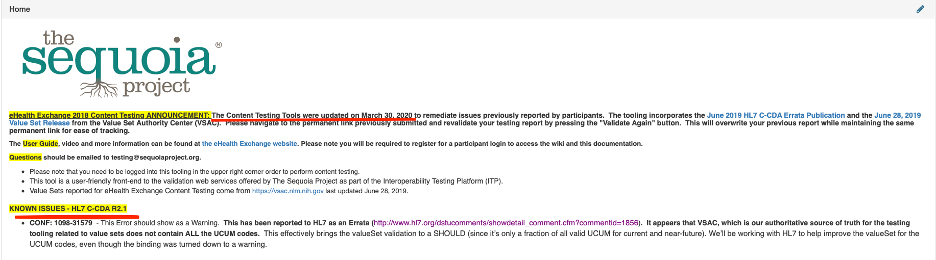
  • The home page for the  ITP Content Validators will have real time updates for any issues identified. Sequoia will coordinate with our tooling vendor to address all known issues on a quarterly basis.  In addition, this page will provide information on when the validator was last updated. See screenshot below:
Only Errors MUST be fixed. Warnings are provided for your information and are typically SHOULD statements in the base specifications and associated companion guides.  Your organization can choose whether to fix warnings.

The eHealth Exchange Coordinating Committee and Participants reached consensus in January 2017 that they would expect all clinical documents exchanged to conform to the 2011 Edition (MU1), 2014 Edition (MU2) or 2015 Edition, MU3) at a minimum.  This is documented in the approved validation plan found here: https://ehealthexchange.org/testing-program/testing-references/

Documentation & Value Sets

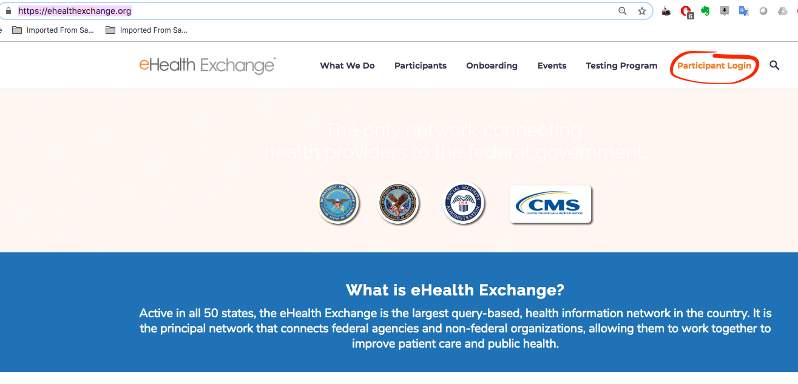
  • Navigate to https://ehealthexchange.org
  • You will see this screen, click on the (Participant Login) in the upper right corner – see screenshot below:
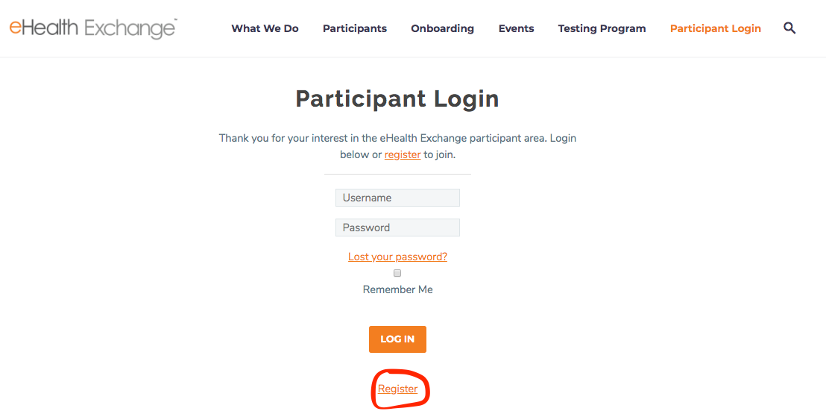
  • Click the Register link as shown in screenshot below:
  • Provide the information requested – your account will be activated immediately. Login to the wiki with your newly activated account. Make sure to navigate to the Testing wiki.
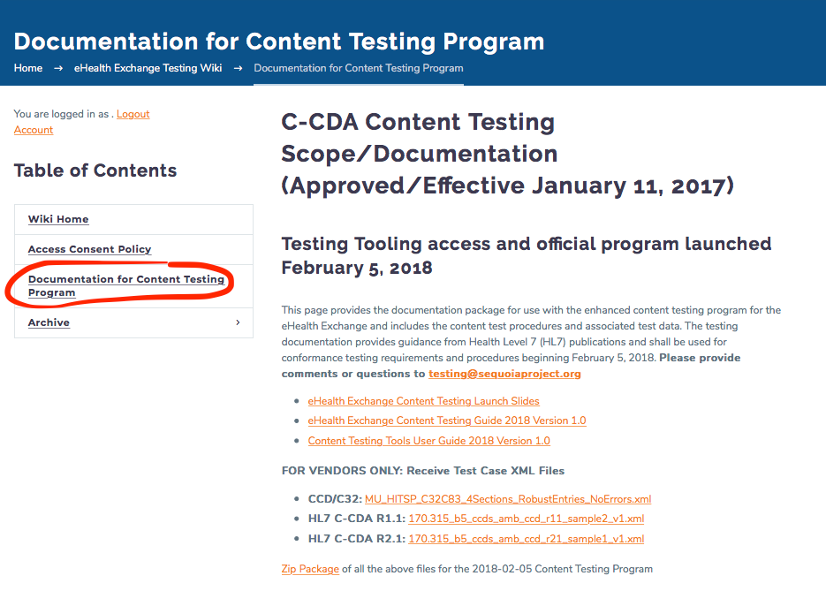
  • Click on the Documentation for Content Testing Program Link as shown in the screenshot below to see the slides, testing and user guides:
  • Your user can access the tooling at any time to access the validation logs directly or:
  • Send an email to testing@ehealthexchange.org requesting your permanent links previously submitted. These have been recorded by Sequoia and can be provided as needed.
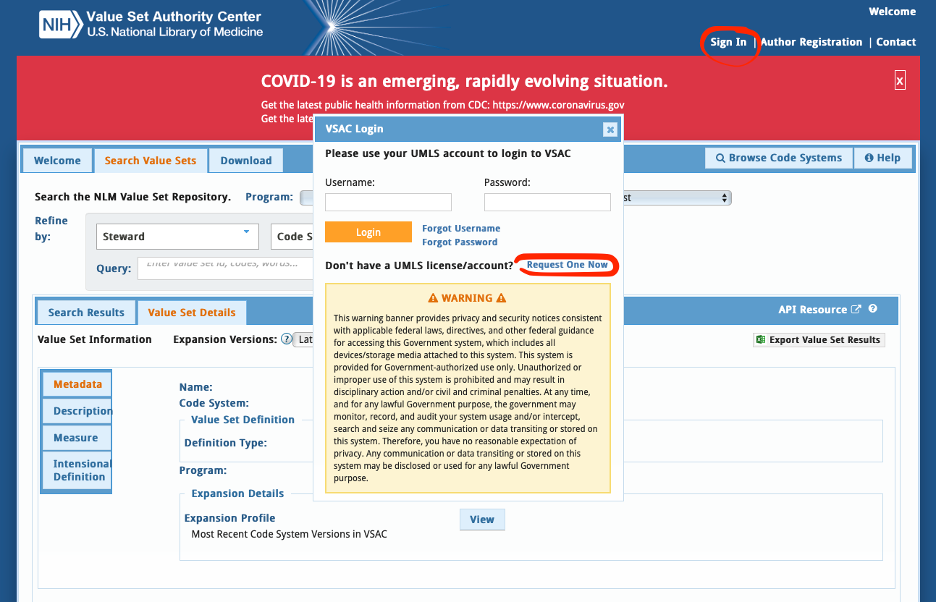
  • You can find all the value sets available here: https://vsac.nlm.nih.gov/. This site does require a UMLS license/account.
  • To obtain a UMLS license you need to reference the screenshot below to request an account:
  • Watch this video to learn how to download value sets.
Other

The certification tooling maintained by ONC only tests specific document and test cases related to Meaningful Use. This ONC SITE tooling does not test all document types and value sets and does not intend to do so.

The testing was implemented to improve the quality of clinical data exchanged to benefit clinicians and their patients. The 2018 eHealth Exchange testing aligns with the Common Clinical Data Set (CCDS).   These 2015 Edition Meaningful Use requirements set the foundation for the United States Core Data for Interoperability (USCDI) that added additional data classes the industry will be required to conform to. The time spent on addressing any issues will help vendors with meeting the future USCDI requirements and should be considered time well spent towards meaningful and useful exchange of data.

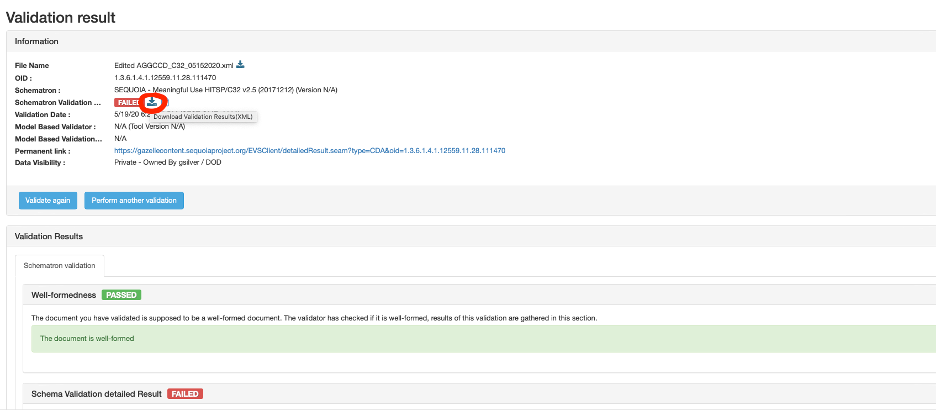
Click on the download validation results (XML) as shown in the screenshot below: